
갤럭시에서도 케이스를 열면
에어팟 배터리가 떠요
Open the case,
see your AirPods battery on Android
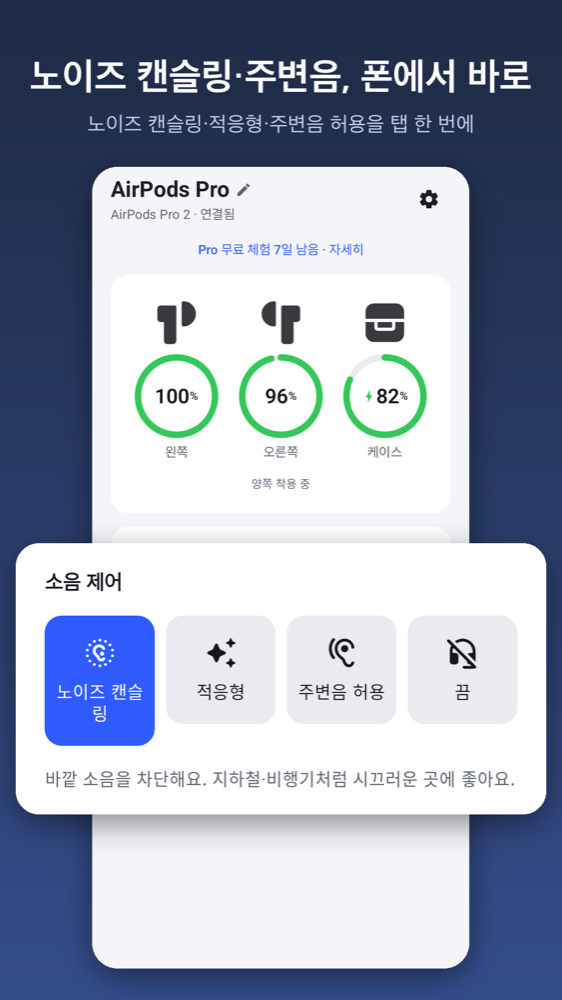
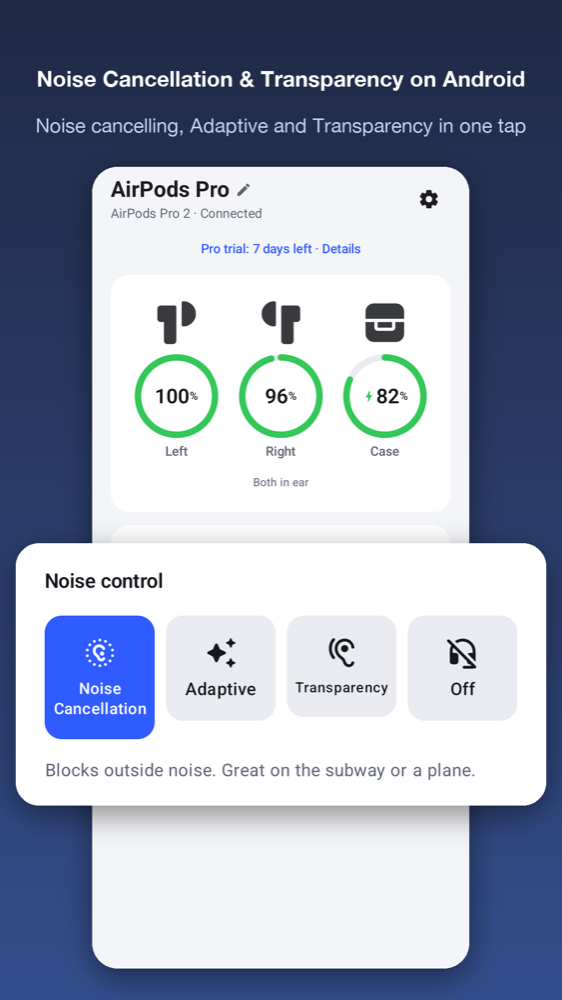
갤럭시는 에어팟 배터리를 따로 보여주지 않아요. PodBridge는 에어팟과 직접 통신해서 왼쪽·오른쪽·케이스 배터리를 1% 단위로 보여주고, 노이즈 캔슬링도 폰에서 바꿔요. Android doesn't show AirPods battery on its own. PodBridge talks to your AirPods directly to show left, right and case battery to the percent, and lets you switch noise control from your phone.
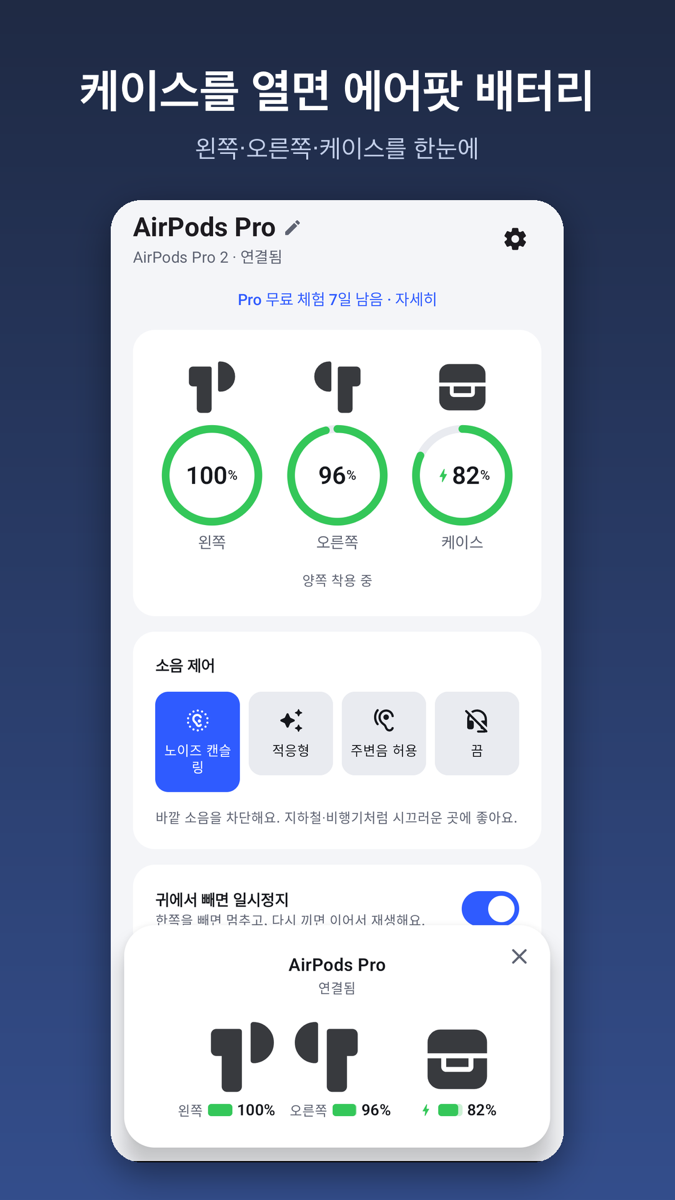
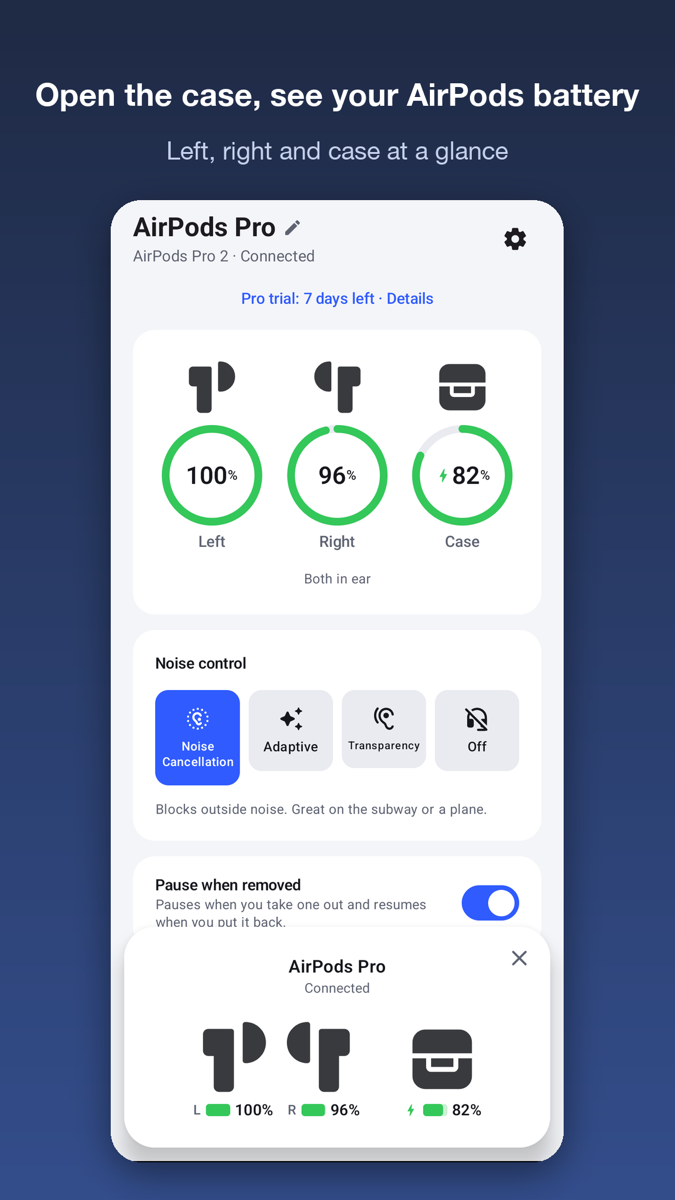
PodBridge로 할 수 있는 일What PodBridge does
아이폰에서 쓰던 에어팟 기능을 갤럭시에서도 쓸 수 있게 만들었어요.The AirPods features you had on iPhone, on your Galaxy.
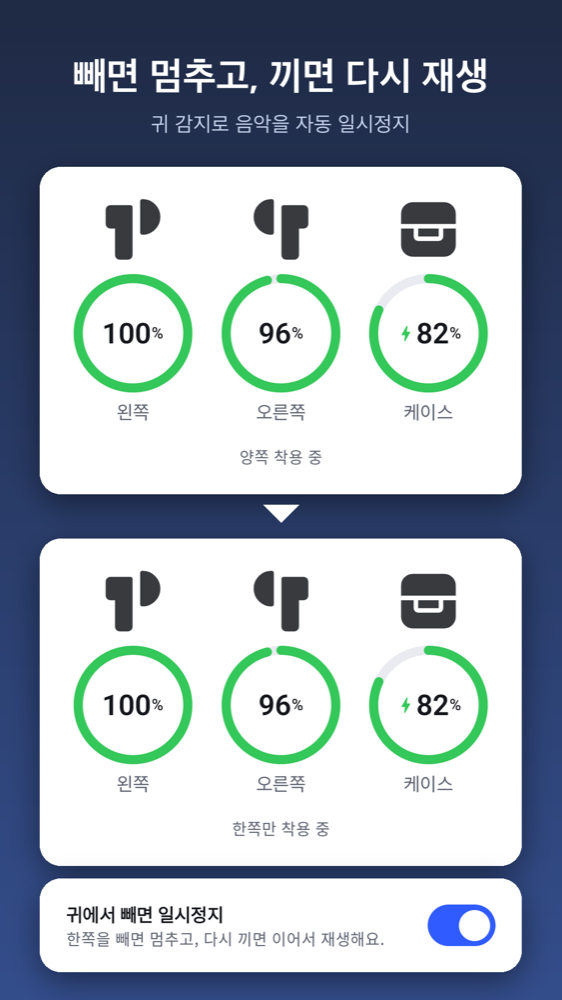
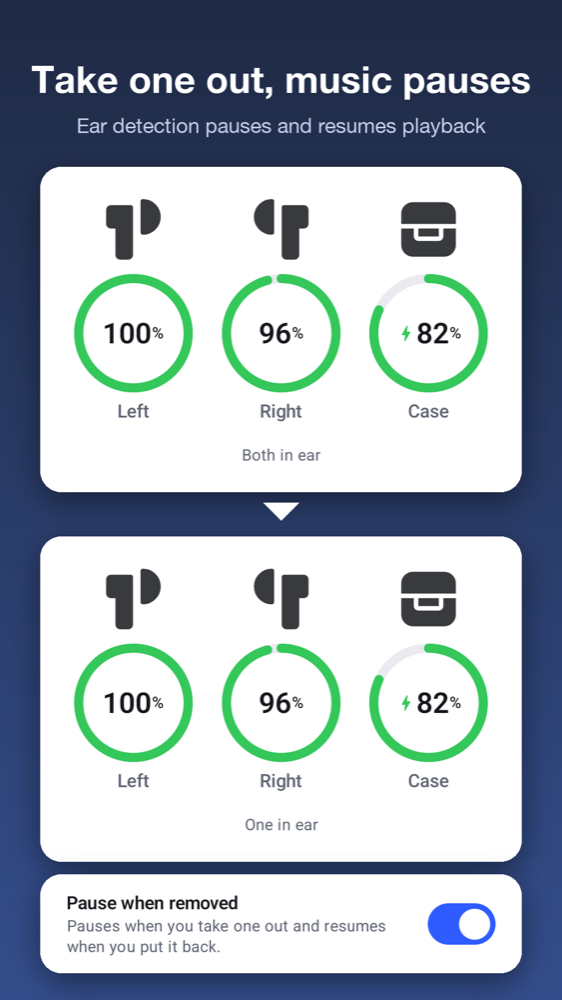
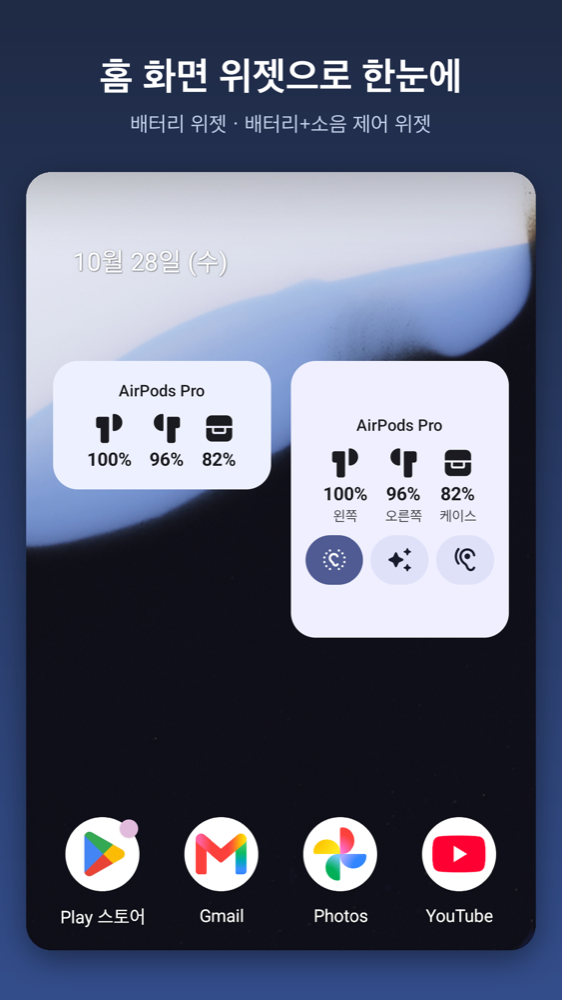
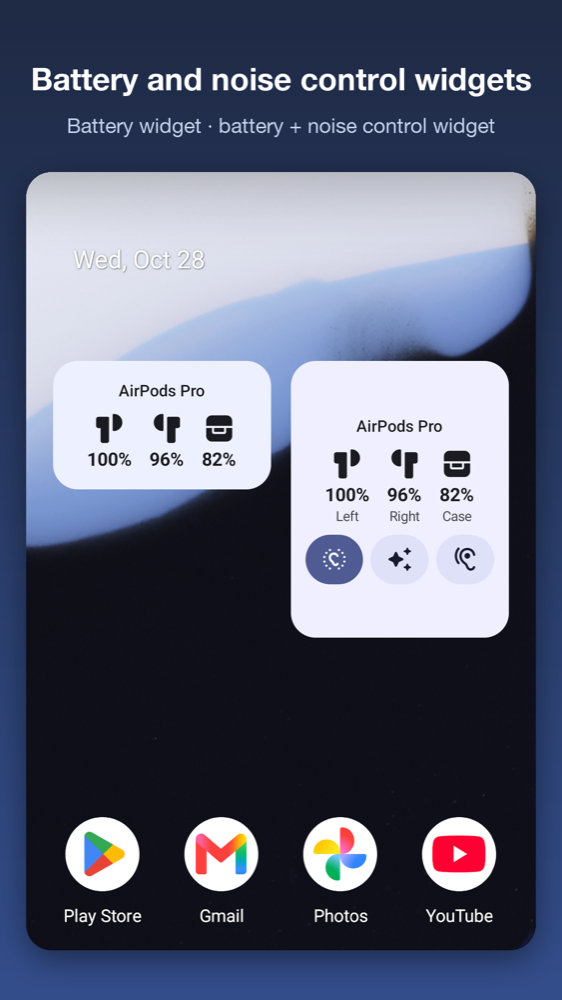
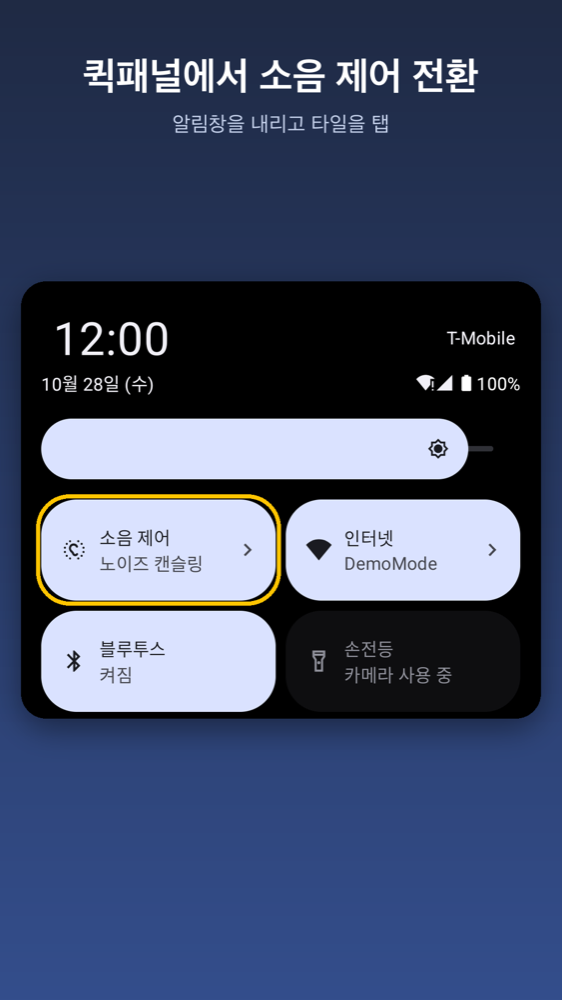
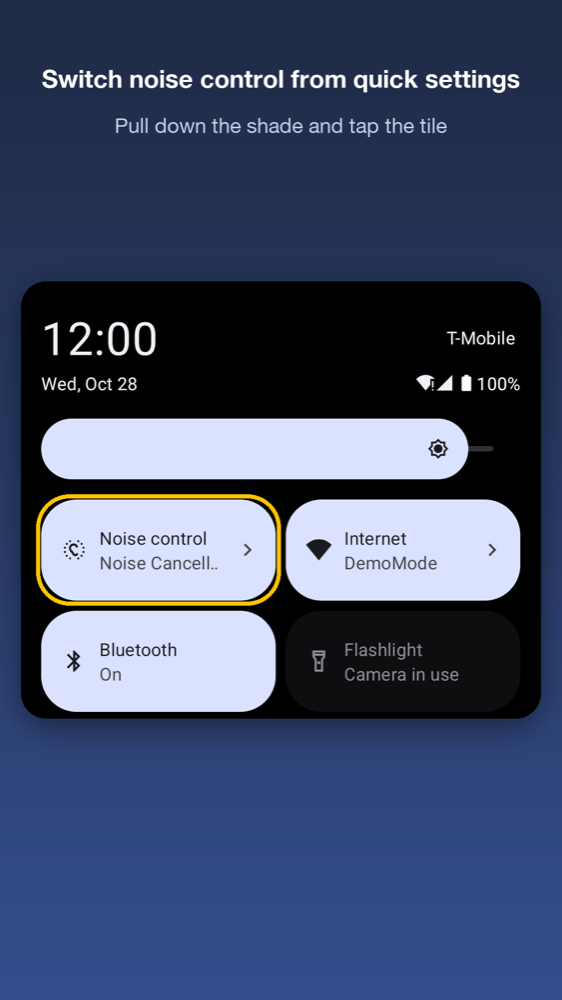
그 밖에Also
- 배터리 부족 알림이어폰 배터리가 20% 이하로 떨어지면 알려줘요
- 알림창 배터리연결 상태와 배터리를 알림창에서 늘 볼 수 있어요
- 에어팟 이름 바꾸기에어팟 자체의 이름이 바뀌어서 다른 기기에서도 새 이름으로 보여요
- 모델 자동 인식AirPods·AirPods Pro·AirPods Max를 알아보고 맞는 기능만 보여줘요
- Low battery alertA heads-up when an earbud drops to 20% or below
- Battery in notificationsConnection and battery always in your notification shade
- Rename your AirPodsThe name changes on the AirPods themselves, so every device sees it
- Model detectionRecognises AirPods, AirPods Pro and AirPods Max and shows only what fits
갤럭시에 에어팟 연결하는 방법How to connect AirPods to a Galaxy phone
에어팟은 블루투스 이어폰이라 갤럭시에도 연결돼요. 처음 한 번만 아래 순서대로 하면 돼요.AirPods are Bluetooth earbuds, so they pair with Galaxy phones too. You only do this once.
- 케이스를 열고 뒷면 버튼 누르기에어팟을 케이스에 넣고 뚜껑을 연 채로, 케이스 뒷면 버튼을 흰색 불빛이 깜빡일 때까지 길게 눌러요. AirPods Max는 소음 제어 버튼을 길게 눌러요.
- 갤럭시 블루투스에서 고르기설정 → 연결 → 블루투스로 가서 목록에 뜬 에어팟을 눌러요. 이제 소리는 들리지만, 갤럭시만으로는 배터리와 소음 제어를 볼 수 없어요.
- PodBridge 열고 허용하기근처 기기(에어팟과 통신), 알림(배터리 표시), 다른 앱 위에 표시(케이스 팝업)를 허용해요. 배터리 사용량 최적화에서 빼 두면 연결이 끊기지 않아요.
- 내 에어팟 고르기페어링된 에어팟을 고르면 끝이에요. 다음부터는 케이스를 열거나 귀에 끼기만 하면 자동으로 연결돼요.
- Open the case and hold the buttonWith the AirPods in the case and the lid open, hold the button on the back until the light flashes white. On AirPods Max, hold the noise control button.
- Pick them in Bluetooth settingsGo to Settings → Connections → Bluetooth and tap your AirPods. Sound works now, but Android alone can't show battery or noise control.
- Open PodBridge and allow accessAllow Nearby devices (to talk to the AirPods), Notifications (battery) and Display over other apps (case popup). Excluding the app from battery optimisation keeps the connection steady.
- Choose your AirPodsPick your paired AirPods and you're done. From then on, opening the case or putting them in connects automatically.
내 폰에서 되나요?Will it work on my phone?
| 최신 One UI 갤럭시 | 모든 기능 — 1% 단위 배터리, 소음 제어, 귀 감지, 위젯 |
|---|---|
| 그보다 오래된 폰, 다른 안드로이드폰 | 연결과 10% 단위 배터리. 앱이 연결할 때 이 폰에서 되는 기능을 알려줘요 |
| 에어팟 모델 | AirPods, AirPods Pro, AirPods Max |
| Galaxy with the latest One UI | Everything — battery to the percent, noise control, ear detection, widgets |
|---|---|
| Older or other Android phones | Connection and battery in 10% steps. The app tells you what your phone supports |
| AirPods models | AirPods, AirPods Pro, AirPods Max |
설치하고 7일 동안 모든 기능을 무료로 써 볼 수 있으니, 내 폰에서 먼저 확인해 보세요.Every feature is free for the first 7 days, so you can check on your own phone first.
가격Price
무료 · Pro는 한 번 결제 ₩4,900Free · Pro is a one-time purchase
배터리 팝업·소음 제어·이름 바꾸기는 무료예요. 귀 감지·위젯·빠른 설정 버튼과 광고 없음은 Pro예요. 설치하면 7일 동안 Pro를 결제 정보 없이 써 볼 수 있어요. 구독이 아니에요. Battery popup, noise control and renaming are free. Ear detection, widgets, the Quick Settings tile and no ads are Pro. Try Pro free for 7 days with no payment details. No subscription.
자주 묻는 질문FAQ
갤럭시에서는 왜 에어팟 배터리가 안 보이나요?
에어팟은 배터리와 소음 제어 정보를 애플 기기끼리 쓰는 방식으로 보내요. 안드로이드는 이 방식을 기본으로 읽지 못해서, 블루투스 설정에도 배터리가 안 나오거나 대략적인 값만 나와요. PodBridge가 이 정보를 직접 읽어 보여줘요.
케이스를 열어도 팝업이 안 떠요
'다른 앱 위에 표시' 권한이 꺼져 있으면 팝업을 띄울 수 없어요. 앱 홈 화면에 안내 카드가 보이면 눌러서 허용해 주세요. 폰 가까이에서 케이스를 열어야 떠요.
연결이 자꾸 끊겨요
갤럭시가 배터리를 아끼려고 앱을 잠재우면 연결이 끊길 수 있어요. 설정 → 애플리케이션 → PodBridge → 배터리에서 '제한 없음'으로 바꿔 주세요.
이름을 바꾸면 아이폰에서도 바뀌나요?
네. 에어팟 자체의 이름을 바꾸기 때문에 아이폰·아이패드 등 다른 기기에서도 새 이름으로 보여요.
제 에어팟 정보가 어디로 보내지나요?
에어팟 정보는 폰 안에서만 처리하고 서버로 보내지 않아요. 가입도 필요 없어요. 자세한 내용은 개인정보처리방침에 있어요.
Why doesn't Android show my AirPods battery?
AirPods send battery and noise control data in a way meant for Apple devices. Android can't read it by default, so Bluetooth settings show nothing or a rough value. PodBridge reads it directly.
The popup doesn't appear when I open the case
The popup needs the Display over other apps permission. If a card on the app's home screen asks for it, tap it to allow. Open the case near your phone.
The connection keeps dropping
Battery saving can put the app to sleep. Go to Settings → Apps → PodBridge → Battery and choose Unrestricted.
Does renaming change the name on my iPhone too?
Yes. The name changes on the AirPods themselves, so iPhone, iPad and other devices see it too.
Where does my AirPods data go?
It's processed on your phone and never sent to a server. No account needed. See the Privacy Policy.
만든 곳Made by
- 상호
- 금강 주식회사
- 사업자등록번호
- 126-88-03646
- 통신판매업신고
- 제 2025-용인기흥-01385 호
- 소재지
- 경기도 용인시 기흥구 동백중앙로 191, 8층 제이844호
- 문의
- developer@kumgangcorp.com
- Company
- Kumgang Co., Ltd.
- Registration No.
- 126-88-03646
- Address
- 8F Unit J844, 191 Dongbaekjungang-ro, Giheung-gu, Yongin-si, Gyeonggi-do, Republic of Korea
- Contact
- developer@kumgangcorp.com